aws-security-viz




See which security groups can reach which, and which are open to the internet, in one file you can open offline.
aws-security-viz reads the EC2 security group configuration from the AWS API, or from the JSON written by
aws ec2 describe-security-groups, and draws it as a graph.
The HTML viewer
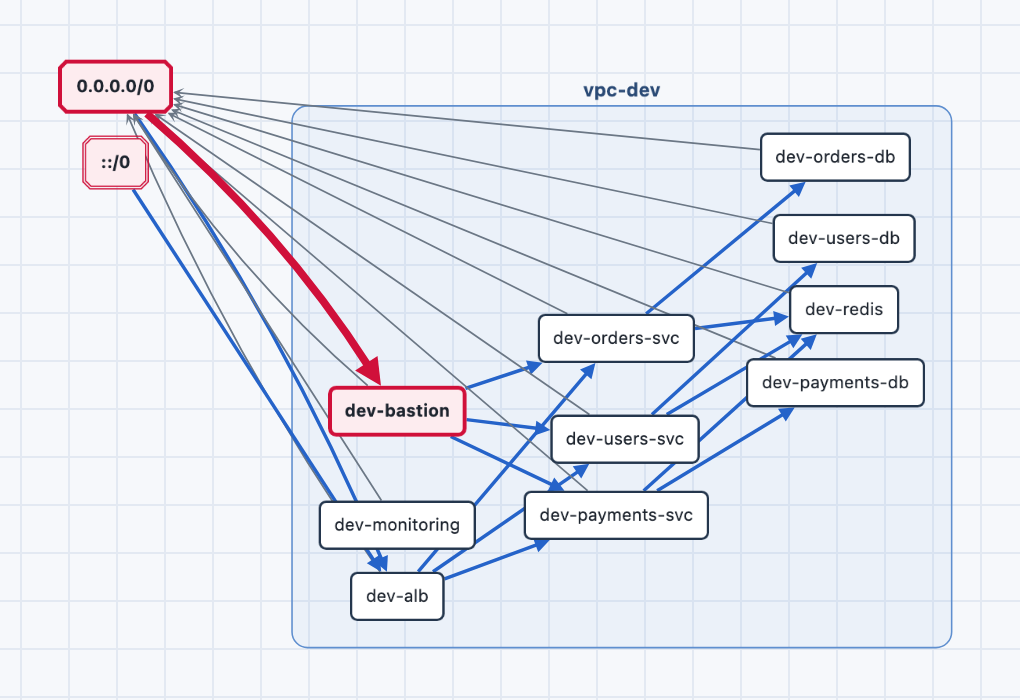
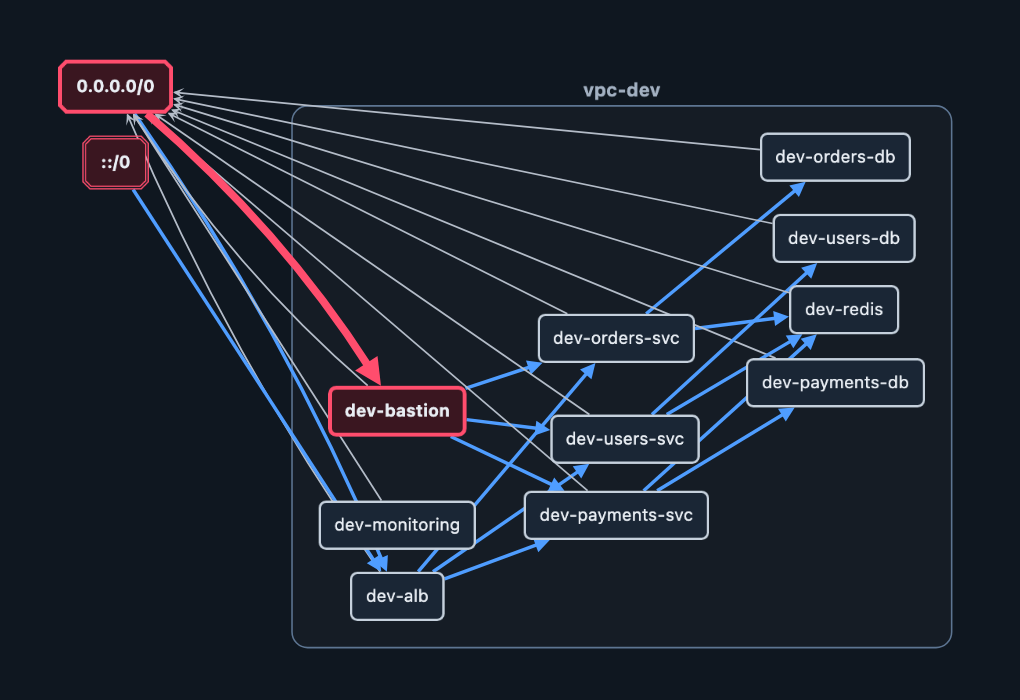
The default output is an interactive page for exploring, searching and sharing the graph.
- Collapsed VPCs keep a large account readable: big graphs open with each VPC as one node.
- Can X reach Y answers from the security group rules, the way AWS evaluates them.
- Layouts include force, traffic flow and exposure rings.
- Risky ingress on a sensitive port is highlighted, and Risky only hides the rest.
- Light and dark themes follow the browser, with a toggle.
- One offline file: no server and no CDN.
- Fail the build on risk.
--fail-on-riskturns risky public ingress into a failing exit code. See Filtering and risk checks. - Runs anywhere. Install the gem, or run the published container image with Ruby and Graphviz built in. See Installation.
Try it
gem install aws_security_viz
aws_security_viz -o security_groups.json
The sample security_groups.json needs no AWS access. The command writes
aws-security-viz.html; open it in a browser. The Quickstart covers live AWS access and Docker.
Other formats
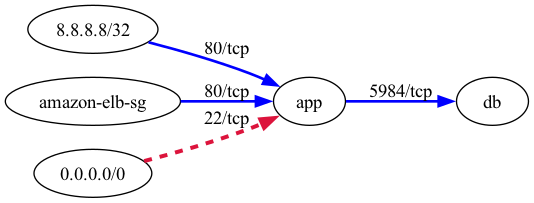
The same graph can be written as DOT, PNG, SVG, Mermaid or JSON; see Outputs. Graphviz draws this one:
Where to go next
- Quickstart: first graph from a JSON file, live AWS or Docker.
- Configuration: every option,
opts.ymland exit codes. - Credentials and IAM: how credentials are found and the minimal IAM policy.
- Security: what leaves your machine and how to verify a release.
aws-security-viz is MIT licensed. The HTML viewer inlines vendored copies of Cytoscape.js, cytoscape-fcose, cose-base, layout-base, dagre and cytoscape-dagre, which are also MIT licensed; their notices ship inside the gem under lib/aws_security_viz/vendor/.