Quick start
1. Install
uv tool install buildnotify
buildnotify
Other ways to install, and the GNOME note, are on the Installation page. A new icon appears in your system tray.
2. Add your first server
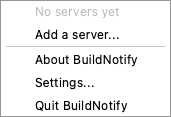
On the first launch with no servers, the server dialog opens once. Until a server is added, the menu offers Add a server..., which opens the same dialog.
- Paste the feed URL, such as
https://ci.example.org/cc.xml. The Servers pages have the URL pattern for each CI. - Under Sign in, choose
None,Username and passwordorToken. - Click Test connection to see how many projects the feed has, and untick the ones you don't want.
- Save.
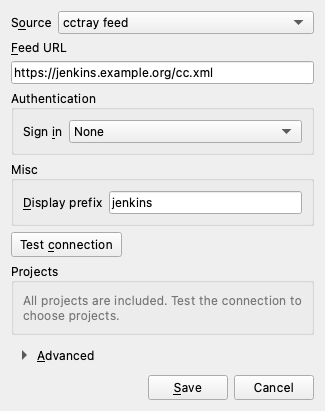
To watch GitHub Actions instead, set Source to GitHub Actions. See GitHub Actions.
3. What you will see
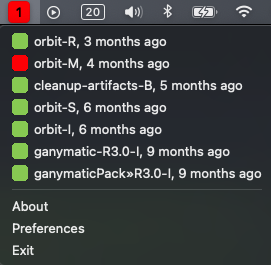
The tray icon shows the overall status, and the menu lists your projects grouped as failing, building, passing and unknown. Click a project to open it on the CI server.
BuildNotify notifies you when a build fails, is fixed or fails again. Notifications for passing builds are off until you turn them on in Preferences. Next: